What Is Hansa Teutonica Online?
Hansa Teutonica Online is the officially licensed free digital adaptation of Andreas Steding's classic board game. It runs entirely in your browser — desktop or mobile — with no app to download and no account required to start playing.
The game supports 2 to 5 players, a mix of human and AI (computer) opponents, real-time multiplayer over the internet, and full async play so you can take your turn whenever it suits you. It's the same game as the physical edition, faithfully adapted: same map, same rules, same five ability tracks.
It's available on Web, iOS, and Android — one account works across all platforms.
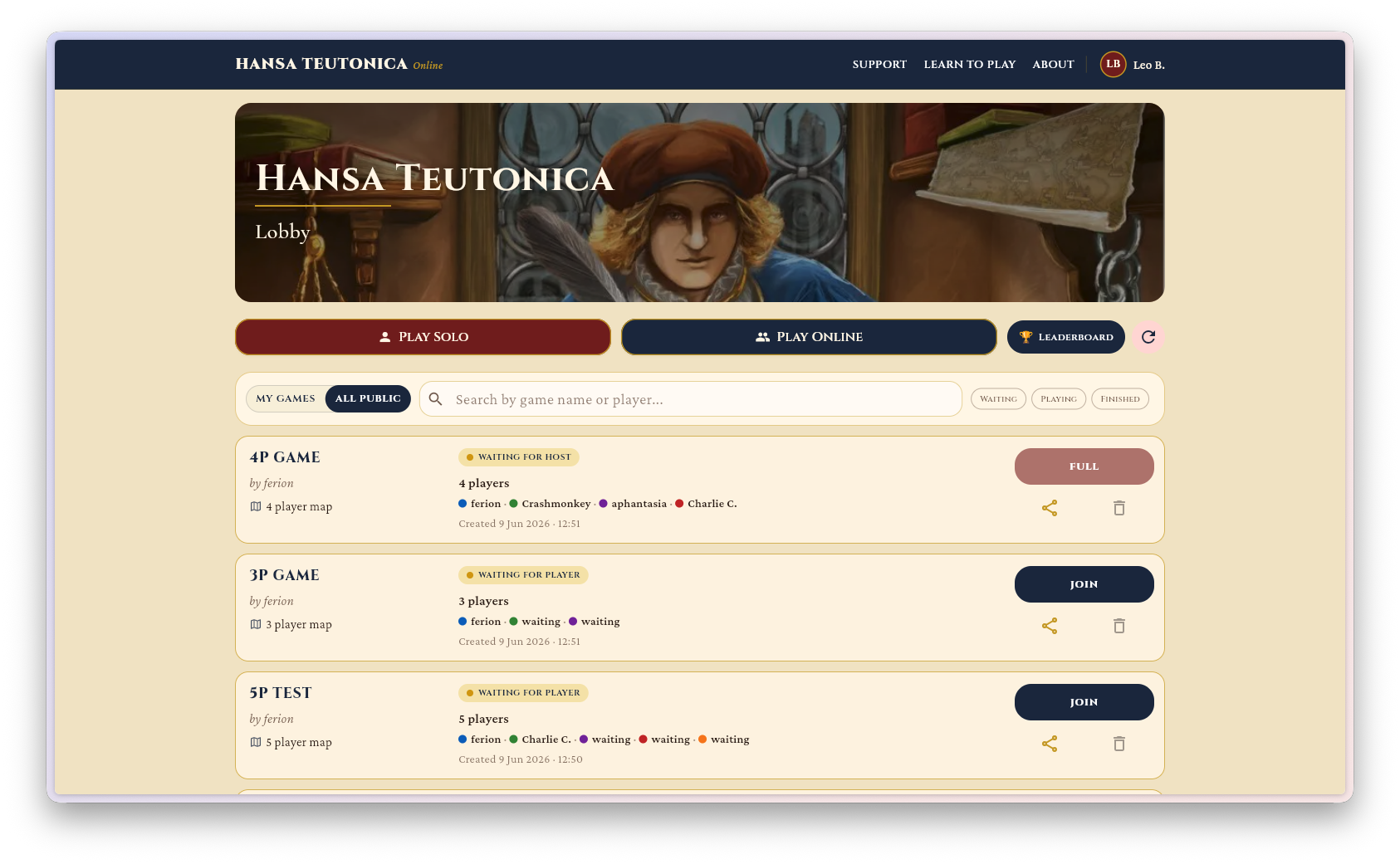
The Three Ways to Play
Playing Solo — The Fastest Way to Start
The quickest path to the board: go to playhansa.app/lobby/create/solo and hit Create. You'll be in a game against AI opponents within seconds — no forms, no loading screen, no preamble.
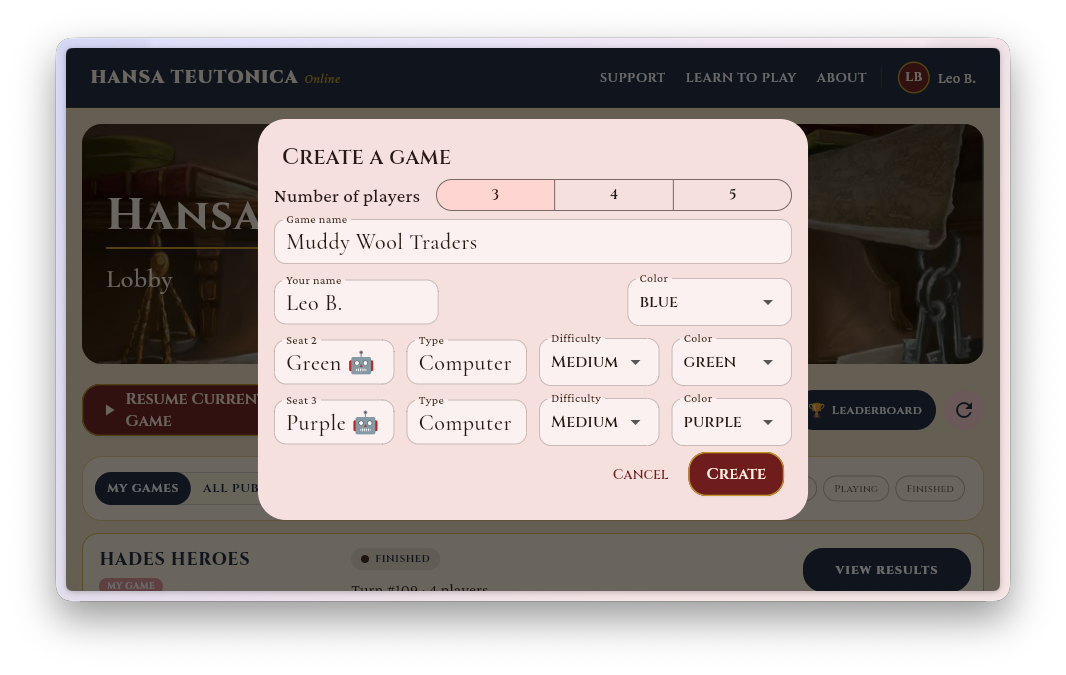
You can choose how many AI opponents to add (1 to 4) and their difficulty level before starting. The AI plays a full strategic game — it manages routes, upgrades abilities, and competes for city control — so even a solo session is a proper test of your planning.
Solo games are not saved between sessions unless you have an account. If you close the tab, the game is gone. Create a free account to have games persist and pick up where you left off.
Playing With Friends
The easiest way to play with people you know is a private game:
- Go to the lobby and click Play Online.
- Make sure "Keep private" is selected.
- Set the player count and choose which seats should be human vs AI.
- Copy the invite link from the waiting room and send it to your friends.
- When everyone has joined, the host clicks Start Game.
Friends who receive the link will need to create a free account to join — it only takes a moment. Once they're in, they'll be at the table alongside you.
Playing Against Strangers — The Open Lobby
The open lobby lists public games waiting for players. To see games from strangers, select the All Public filter at the top of the lobby — by default it only shows your own games. You'll see the host, the number of seats filled, the player count, and whether the game is in progress or waiting. Click Join on any game with an open seat.
You can also create your own open game: set it to public, pick your settings, and wait for others to fill the remaining seats. Add AI players to any unfilled seats if you don't want to wait.
An account is required for open lobby play — this keeps games persistent and lets you resume if you disconnect.
Creating a Free Account
Accounts are free and take less than a minute to set up. You can sign in with Google (one click) or user your email to get a login code. Either way, you get:
- Games saved across sessions and devices - just log in from anywhere to continue where you left off
- Turn notifications (browser, email & in-app) for async games
- A configurable display name in the lobby and at the table
Create your account here — or just start a solo game first and create one when you're ready.
What to Expect in Your First Online Game
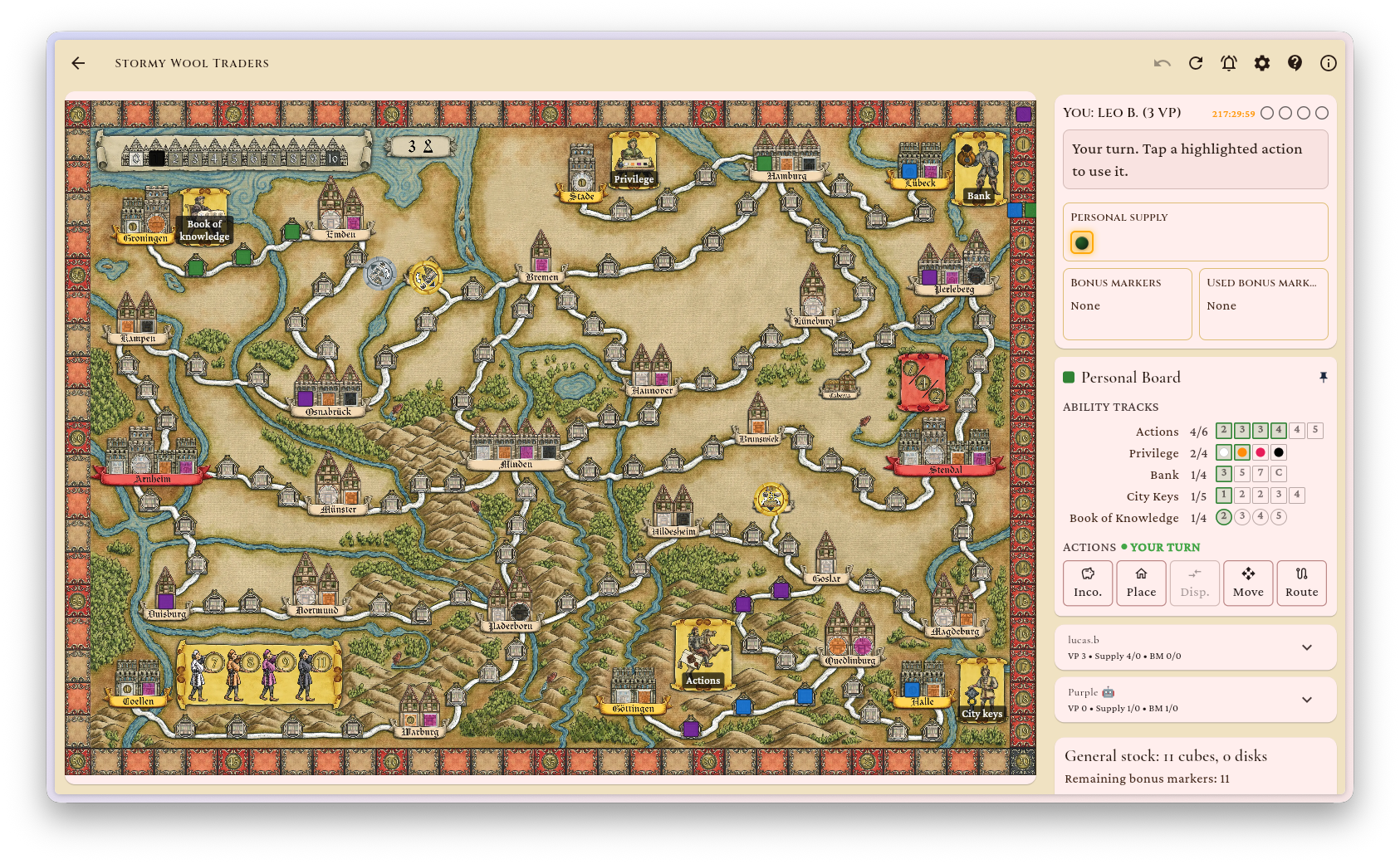
The interface is designed to mirror the physical game as closely as possible. The board fills most of the screen; your player board (with the five ability tracks) is in a panel on the right but can be "unpinned" into a floating board. On your turn, available actions are highlighted — click on an action to initiate it, and if your game allows it, you can always undo an action.
A move log on the right tracks everything that's happened, so you can review an opponent's last turn without having to ask. The score track updates live after every action that earns prestige points.
The settings icon in the toolbar lets you toggle sound and text helpers (labels that describe each action as you hover). The game host can also toggle undo from there, or kick a player who has gone AFK and replace them with a computer opponent.
iOS and Android Apps
Prefer to play on your phone or tablet? Native apps are available now on both major platforms — same game, same account, same ongoing games. Start a game on your laptop and continue it on your phone without any friction.
Both apps are free to download and play, same as the web version. Your account carries across all platforms.
- Download on the App Store — iPhone and iPad
- Get it on Google Play — Android
Tips for Playing Online vs. Over the Table
Use the undo button freely in solo games
Solo games against AI allow you to undo the last action. Use this while you're learning — making a move, seeing the result, and undoing it is one of the best ways to build intuition for action efficiency.
Real-time multiplayer is faster than you expect
With an experienced group, a 3-player game online typically runs 45–60 minutes — comparable to the physical game. New players take longer on their first couple of turns, but the interface highlights legal moves, so you're rarely stuck wondering what's allowed.
Reconnection is automatic
If your connection drops mid-game, the game waits. Reload the page and you'll rejoin where you left off.